
Home > All Tutorials > Tutorial Videos> PowerPoint Curvy Roadmap
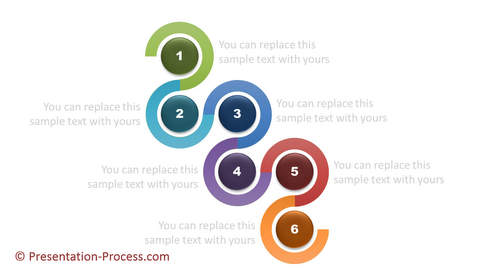
Learn to create a curvy PowerPoint road map diagram with 6 milestones. This provides a creative variation to presenting the next steps. You can animate the components of the diagram if required.
The diagram consists of a number of block arcs linked together with beveled circles in the center to show the number of the milestone.
Here is an screenshot of roadmap with milestones you will learn to create in the video:
PowerPoint Features used in this video
 |
Block Arc, Oval Shape | |
Adjusting Yellow Handles on shapes |
|
Rotate Shape option | |
Multiple ways to copy shapes |
|
Setting Shape Styles and Preset shape effects | |
Changing Font types |
PowerPoint Versions in which you can follow this tutorial:
|
PowerPoint 2013 | |
|
PowerPoint 2010 | |
|
PowerPoint 2007 |
Click play to view the tutorial:
|
Stay Updated about New Tutorials |
The animated templates shown in this video are from: 750+ Advanced Animated Templates for PowerPoint
If you liked this tutorial and would like to learn more, please browse through this site. You will find 100s of PowerPoint tutorials and creative ideas for presentations. Thanks you for watching the video and happy presenting!
Related: Use Block Arc to create 3D circle