
 Creative PowerPoint Timeline Ideas
November 23, 2011
Hi,
We have been recieving great response to our existing diagrams packs from business presenters. That’s why we are super-excited about the new PowerPoint Diagram pack releasing soon. Watch this newsletter for the release. It will be bigger and better! We promise!
What’s on your mind?
We’d love to hear from you on what you’d like to see in our site. More articles on what topic, interviews with which experts, what kind of giveaways or products…
Please reply to this email and let me know!
Now on to the latest articles and creative ideas….
- 5 Creative PowerPoint Timeline Ideas
- Create Expressive Icons in PowerPoint
- Charts & Diagrams are Everywhere! Learn from them!
- Read this before you buy Diagram Templates
[Creative Ideas] 5 Creative PowerPoint Timeline Ideas
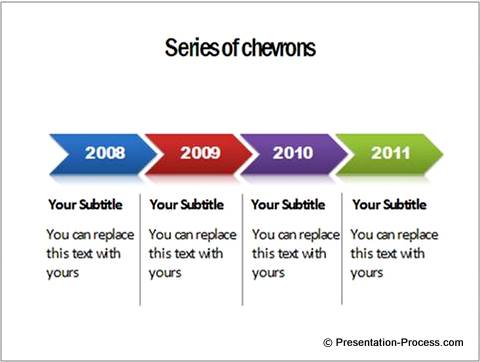 A timeline is probably one of the most used diagrams in a business presentation. Whether you want to represent milestones of your organization’s growth or year wise progress of your project, you can’t do without a timeline chart.
Discover 5 simple ways to represent timeline in PowerPoint slides. Get inspired to create a number of variations of your own. Read more…
[Creative Ideas] Create Expressive Icons in PowerPoint
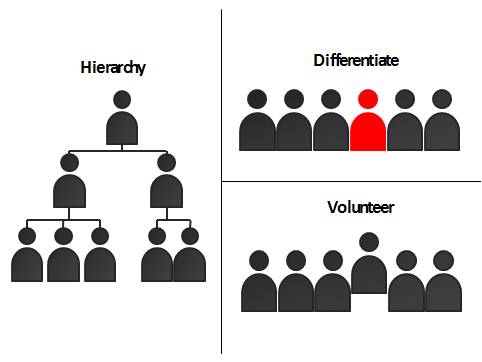 Discover how to create your own expressive icons in PowerPoint. Take full control of the way you express your visual ideas.
This is an article you shouldn’t miss reading. Ramgopal truly provided simple insights into the process of creating and using icons in business presentations. Read what he has to say here…
[Creative Ideas] Charts and Diagrams are Everywhere!

This article lets you see the world around you in a fresh new way. It makes you realize the extent to which you use visuals to receive and convey information in day to day life and how you can use this information to create innovative charts.
Read more here…
Planning to buy Charts and Diagrams? READ THIS FIRST…
Here are 5 essential things to look for when you buy a diagram pack for your business presentations. The information in this article might save you hours of frustration in the future. Read more…
Questions or queries or comments?
Contact us and we will reply as quickly as possible.
Happy Presenting!

Twitter: @Metamorphtrg
Facebook: PresentationProcess