
Home > Affiliate Program > Affiliate Resources Page
Please select the product you are interested in and you can find the related resources and information. Each product available for sale to affiliates has 1) description 2) target audience 3) 3 different sizes of banners.
Right Click and Save Image AS.. to Download the image banner that suits your requirement. To know how to set up HOP links, see help for e-junkie affiliates here.
These images and links are provided for use by affiliates for encouraging sales and are not to be used for any other purpose. The images are to be used as is.
Individual Products
1. PowerPoint Charts and Diagrams CEO Pack 1
2. PowerPoint Graphics and Concepts CEO Pack 2
3. Visual PowerPoint Graphs Pack
4. PowerPoint Custom Animations Pack
5. Flat Design Templates for PowerPoint
Product Bundles
Bundle 1: PowerPoint CEO Packs Bundle ( Vol 1 + 2)
Bundle 2: All In One PowerPoint Bundle
1. PowerPoint Charts and Diagrams CEO Pack 1
- Fully editable charts, diagrams and graphics
- Basic data-driven graphs.
- Comprehensive pack for busy presenters.
- Objective: Represent ANY business idea quickly and visually.
- Useful for: A comprehensive pack useful for all business presentations.
|
160 X 600 Sidebar Banner
|
300 X 250 In Page Banner
|


2. PowerPoint Graphics and Concepts CEO Pack 2
- Fully editable charts, graphics, concepts and models
- NO data-driven graphs
- Does not contain the same charts as CEO Pack 1.
- Objective: For Presentations with high-end visuals and insightful metaphors
- Useful for: Strategic, consulting, high-stakes or customer presentations.
|
160 X 600 Sidebar Banner
|
300 X 250 In Page Banner
|


3. Visual PowerPoint Graphs Pack
- Fully data-driven graphs and infographics
- Does not require additional software. Works using existing PowerPoint features.
- Objective: More visual & insightful data presentations
- Useful for : Reporting, MIS, Finance and other data oriented presentations.
|
160 X 600 Sidebar Banner
|
300 X 250 In Page Banner
|


4. PowerPoint Custom Animations Pack
- High-end custom animated templates. Fully editable.
- Created with Custom Animation feature in PowerPoint. No additional software required.
- No data-driven graphs.
- Objective: Make content more engaging for audience with professional animations.
- Useful for : Self-running presentations, training, videos, e-learning or complex business presentations.
|
160 X 600 Sidebar Banner
|
300 X 250 In Page Banner
|


5. Flat Design Templates for PowerPoint
- Minimal chart templates with suitable flat design color theme & font
- 100% editable templates
- Objective: Make content suitable for viewing on multiple devices online
- Useful for : Presentations shared online, brochures, infographics, videos, or modern looking presentations.
|
160 X 600 Sidebar Banner
|
300 X 250 In Page Banner
|


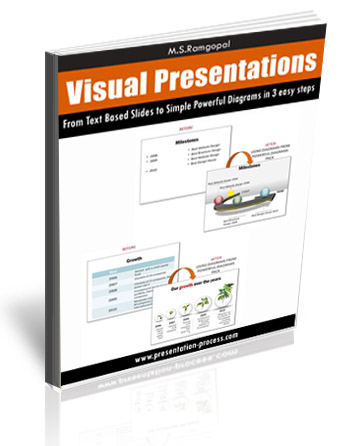
6. Visual Presentations eBook
Get From Text Based Slides to Powerful Diagrams in 3 easy steps.
Format: Adobe PDF
File Size:8 MB
Print Length:105 pages
Usage License:Single User, Personal License
Publisher:Presentation Process.com
Language:English
|
140px × 136px
|
Banner : 345px × 446px
|

Bundle 1: PowerPoint CEO Packs Bundle ( Vol 1 + 2)
1500+ Editable and Ready to Use Charts, Graphs Graphics, Concepts and Business Models for Business Presentations.
|
160 X 600 Sidebar Banner
|
300 X 250 In Page Banner
|


Bundle 2: All In One PowerPoint Bundle
The ALL IN ONE PowerPoint Bundle Contains:
750+ PowerPoint Charts CEO Pack Vol.1 :$249
815+ PowerPoint Concepts & Models Pack Vol.2 :$299
320+ Visual PowerPoint Graphs Pack :$249
NEW! 630+ Advanced Custom Animation Templates : $249
300+ PowerPoint Hand Drawn Graphics Pack : $129
12 PowerPoint Title Templates (Themes) :$49
Visual Presentations eBook :$24
|
160 X 600 Sidebar Banner
|
300 X 250 In Page Banner
|


How to set up Affiliate links on E-junkie
- Login to your Affiliate account in E-junkie
- The Select Merchant menu lists the affiliate programs you have joined*;
- Select the merchant whose link codes you want to get ( Presentation Process;
- Click Get Affiliate Code. We have product-specific Affiliate settings, then you can select a product and click Get Affiliate Code to obtain product-specific link code:
Hop Link: works like the Common Hop Link, where your link redirects the you to the our page (see more about Hop Links below);
Direct Link: works like an Add to Cart button to order the product directly, so you can sell the product from your own site instead of redirecting to the seller’s URL, but you only earn commission on each individual order placed through your own Direct Link buttons. - Paste your link code into the HTML source of your own Web page, wherever you want the link to appear among your own text, images and layout;
- You can click the More Info button to obtain brief product description and link/banner images, etc.;
- You can click the Contact Merchant button to send us a message.
How Hop Links Work:
When you click your Hop Link, you will not see your ID anywhere on the our page, nor is that necessary to credit you for the sale, and the buyer does not even need to purchase anything immediately after clicking your link. Clicking your Hop Link sets a cookie in the buyer’s browser which expires in 6 months, then E-junkie redirects them to our ( sellers) page. Every affiliate-eligible product that buyer purchases from that seller during the life of that cookie will earn you a commission, even if they go back to the our site directly later without clicking through your link again.
Getting Paid
We typically pay out commissions via PayPal on a monthly lump-sum basis 7 days after the completed calendar month when commissions were earned — e.g., commission earnings for sales in January would be paid out sometime in February. Make sure you have entered your PayPal email in Affiliate Admin > Edit Profile, so we will be able to pay you easily.
Still Need Assistance?
If you would like any further details or other information, feel free to contact us using the form below. We will get back within 1 business day.