
 Make Numbered Lists Memorable [Issue #83]
April 03, 2013
Hi,
Numbered lists are probably the most commonly used element in PowerPoint after Bulleted lists. In this issue we start with 10 different ways in which you can present numbered lists creatively.
There is something in this issue for a variety of topics. There are creative ideas as well as tutorials for info graphics, consulting diagram and design elements.
We hope you enjoy and share this newsletter!
img src=”wp-content/uploads/dotted-line-thin.png” alt=”” width=”228″ />
[Creative Ideas ] Make Numbered Lists Memorable
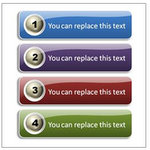 Find useful ways to make memorable numbered lists in PowerPoint. Get inspired to come up with your own variations.
Find 10 creative ideas here >>

[Consulting Diagram Tutorial] Create Flower diagram
 Learn to create interesting flower diagram in PowerPoint. Follow our simple step by step instructions to create this useful diagram for your business presentations.
See Flower diagram Tutorial here >>
[Info Graphics Tutorial] Stack Coins in PowerPoint
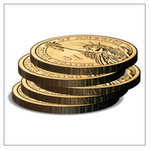 Learn to create stack of 3D coins in PowerPoint easily. Follow our simple step by step instructions to create this useful diagram for your business presentations.
See tutorial for Stack Coins >>
[Design Element] Create 3D Pushpin easily
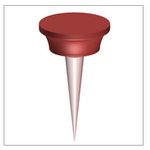 Learn to create 3D pushpin in PowerPoint easily. Follow our simple step by step instructions to create this useful diagram for your business presentations.
See 3D Pushpin tutorial here >>
Happy Presenting!

Presentation tips on Twitter: PresentProcess
Daily Updates on Facebook: PresentationProcess
Tutorial Videos On Youtube: PresentationProcess
Important Notes:
- You can forward this email to your friends.
- If you received this newsletter as a forward, you can Subscribe here>>
- You need to Display Images in your email setup to see this newsletter correctly.