
 Unknown Secrets of Smartart Graphics [Mar #4 Issue]
March 28, 2012
Hi,
SmartArt Tool in PowerPoint makes creating visuals on slides easy. But the graphics start to look boring after a while. This week we explore different ways in which you can use SmartArt Graphics more meaningfully and make it look stunning at the same time. Have you discovered these secrets of the in-built tool?
Find this series to be useful? Do share this newsletter with your friends.
If you received this newsletter as a forward, you can register here to receive your weekly updates>>
This week on Presentation Process….
– Article series on SmartArt
– New PowerPoint Templates Release: Sales Pitch Templates
– Reader’s Speak
Here are some stunning results you can achieve with SmartArt:


Find out how to create these effects and more with these articles…
3 Stunning SmartArt Graphics Ideas
Discover 3 ideas to make your SmartArt Graphics look stunning. Create an impact on your business audience with these useful tips.
Click for full post: 3 Stunning SmartArt Graphics Ideas >>
SmartArt: Discover 3 Hidden Capabilities
Do you use SmartArt? Discover three hidden capabilities of the tool that takes your business presentations to the next level.
Click for full post SmartArt: Discover 3 Hidden Capabilities >>
3 Creative SmartArt Graphic Ideas
Using a SmartArt Graphic? Don’t settle for the default look of the diagram. Make subtle variations to make your diagrams unique and interesting.
Click for full post: 3 Creative SmartArt Graphic Ideas >>
Using SmartArt Graphics with Purpose
SmartArt Graphics can do far more than merely decorating your slides. Discover the true potential of this useful tool to enhance your message effectiveness.
Click for Full post : Using SmartArt Graphics with Purpose >>
NEW POWERPOINT TEMPLATE SETS: Sales Pitch Template Sets:
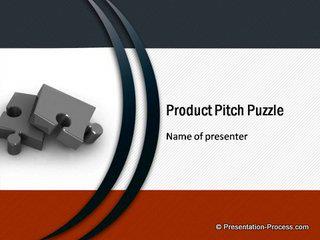
These are Professional Sales Pitch Templates for PowerPoint with 26 themed slides each containing background, color theme and edtiable agenda, creative text, charts and graphs, tables and more with a ready to fill-in format. They are just $21 each.
View the detailed set of the Puzzle Template showcased above >>
Click to view all 17 Sales Pitch Templates >>
Readers Speak:
Galappaththy and Raghu thank you for the positive feedback on our new site look and feel.
The site is still undergoing some reorganization and the newsletter logo too has changed in line with the site.
Reader Alberto says: The newletter is unbelievable good and generous. Good quality and right to the point.
Thank you Alberto for the feedback.
Reader Martin R says he loves our newsletters and contacted us with some detailed feedback about our posts. He has been nominated as aTop Reader with a “Gold Award” on our Facebook Page for his help.
Martin, we are working on your feedback! Thank you for taking the time and effort.
Your Comments & Feedback:
You can leave YOUR feedback about this newsletter here>>
Quick Note:
If you don’t see the images in this email, do use the Display Imagesoption in your email setup.
Happy Presenting!

Join 600+ Followers on Twitter: @PresentProcess
Join 10000+ Likes on Facebook:PresentationProcess