
Home > All Tutorials > PowerPoint Tips > Slide Master
Take control of the way your slides are designed, by creating your own slide master in PowerPoint. Watch and learn from our step by step tutorial.
Here are some custom layouts you can create after you learn this tutorial:
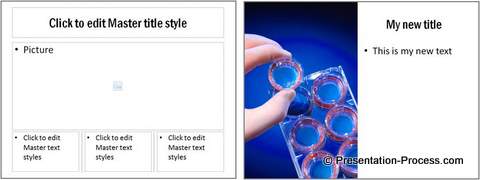
You may want to custom your slides with custom layouts because:
- You may want to give a fresh look to your slides instead of using the same old PowerPoint slide layouts, which your audience has grown tired of looking at
- You may want to create customizable marketing material, in which your sales teams can change the pictures and text without altering the layout to maintain consistency in the look and feel.
- You may have liked certain layouts and want to use them regularly without wasting your time adjusting the elements each time
Whatever your reasons are, this tutorial will help you achieve your objective.
Here are is the Steps in PowerPoint:
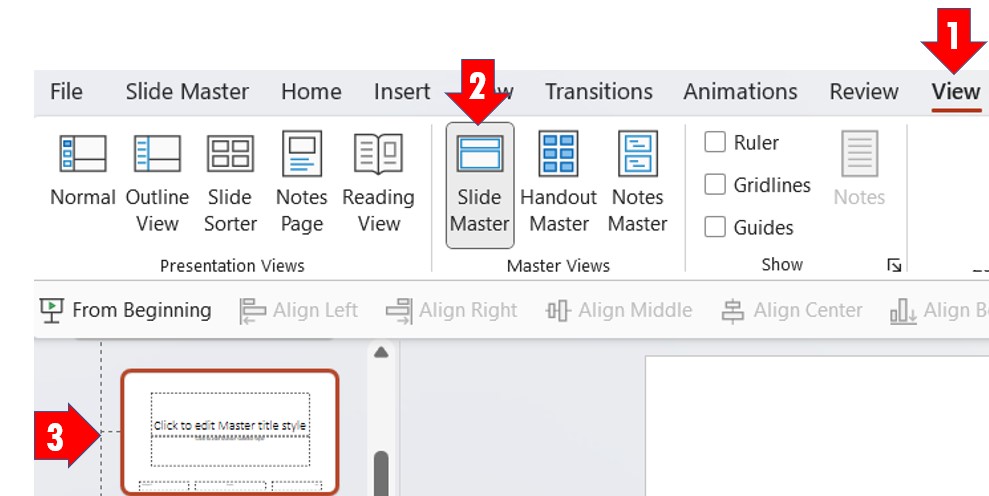
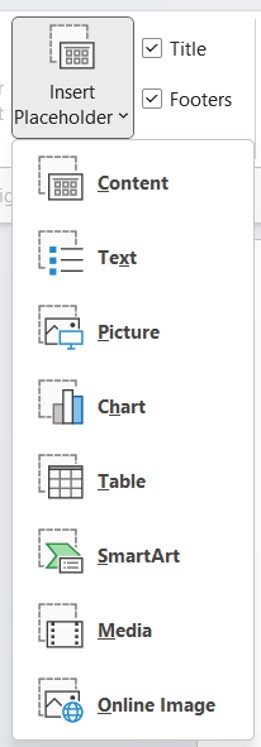
Saving the changes as a Template:
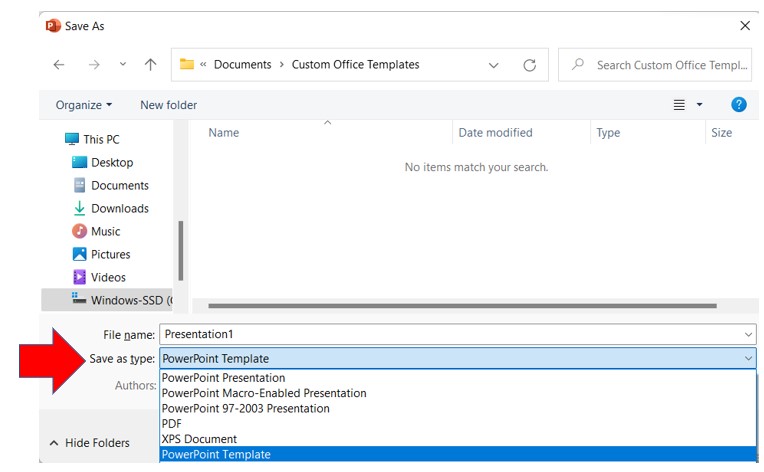
It is a good idea to create a library of all the different layouts you want to use and save the file as PowerPoint template. This is a presentation resource that can be invaluable.
All you need to do is to select ‘Save As’ and in the ‘Save As type’ select ‘PowerPoint Template’ instead of the usual PowerPoint presentation. This will save the file as .POTX instead of PPTX. You can use this file to create your future presentations and save loads of time.
Conclusion:
Simple techniques like creating your own custom layout in Slide master save a lot of your valuable time in creating presentations.
You can find many more such tips and creative ideas for your presentations in this website.
Return: Formatting tips for Bar Chart in PowerPoint